
Some Quarto tips
Convert a data frame to a markdown table with kable()
| mpg | cyl | disp | hp | drat | wt | qsec | vs | am | gear | carb | |
|---|---|---|---|---|---|---|---|---|---|---|---|
| Mazda RX4 | 21.0 | 6 | 160.0 | 110 | 3.90 | 2.620 | 16.46 | 0 | 1 | 4 | 4 |
| Mazda RX4 Wag | 21.0 | 6 | 160.0 | 110 | 3.90 | 2.875 | 17.02 | 0 | 1 | 4 | 4 |
| Datsun 710 | 22.8 | 4 | 108.0 | 93 | 3.85 | 2.320 | 18.61 | 1 | 1 | 4 | 1 |
| Hornet 4 Drive | 21.4 | 6 | 258.0 | 110 | 3.08 | 3.215 | 19.44 | 1 | 0 | 3 | 1 |
| Hornet Sportabout | 18.7 | 8 | 360.0 | 175 | 3.15 | 3.440 | 17.02 | 0 | 0 | 3 | 2 |
| Valiant | 18.1 | 6 | 225.0 | 105 | 2.76 | 3.460 | 20.22 | 1 | 0 | 3 | 1 |
| Duster 360 | 14.3 | 8 | 360.0 | 245 | 3.21 | 3.570 | 15.84 | 0 | 0 | 3 | 4 |
| Merc 240D | 24.4 | 4 | 146.7 | 62 | 3.69 | 3.190 | 20.00 | 1 | 0 | 4 | 2 |
| Merc 230 | 22.8 | 4 | 140.8 | 95 | 3.92 | 3.150 | 22.90 | 1 | 0 | 4 | 2 |
| Merc 280 | 19.2 | 6 | 167.6 | 123 | 3.92 | 3.440 | 18.30 | 1 | 0 | 4 | 4 |
| Merc 280C | 17.8 | 6 | 167.6 | 123 | 3.92 | 3.440 | 18.90 | 1 | 0 | 4 | 4 |
| Merc 450SE | 16.4 | 8 | 275.8 | 180 | 3.07 | 4.070 | 17.40 | 0 | 0 | 3 | 3 |
| Merc 450SL | 17.3 | 8 | 275.8 | 180 | 3.07 | 3.730 | 17.60 | 0 | 0 | 3 | 3 |
| Merc 450SLC | 15.2 | 8 | 275.8 | 180 | 3.07 | 3.780 | 18.00 | 0 | 0 | 3 | 3 |
| Cadillac Fleetwood | 10.4 | 8 | 472.0 | 205 | 2.93 | 5.250 | 17.98 | 0 | 0 | 3 | 4 |
| Lincoln Continental | 10.4 | 8 | 460.0 | 215 | 3.00 | 5.424 | 17.82 | 0 | 0 | 3 | 4 |
| Chrysler Imperial | 14.7 | 8 | 440.0 | 230 | 3.23 | 5.345 | 17.42 | 0 | 0 | 3 | 4 |
| Fiat 128 | 32.4 | 4 | 78.7 | 66 | 4.08 | 2.200 | 19.47 | 1 | 1 | 4 | 1 |
| Honda Civic | 30.4 | 4 | 75.7 | 52 | 4.93 | 1.615 | 18.52 | 1 | 1 | 4 | 2 |
| Toyota Corolla | 33.9 | 4 | 71.1 | 65 | 4.22 | 1.835 | 19.90 | 1 | 1 | 4 | 1 |
| Toyota Corona | 21.5 | 4 | 120.1 | 97 | 3.70 | 2.465 | 20.01 | 1 | 0 | 3 | 1 |
| Dodge Challenger | 15.5 | 8 | 318.0 | 150 | 2.76 | 3.520 | 16.87 | 0 | 0 | 3 | 2 |
| AMC Javelin | 15.2 | 8 | 304.0 | 150 | 3.15 | 3.435 | 17.30 | 0 | 0 | 3 | 2 |
| Camaro Z28 | 13.3 | 8 | 350.0 | 245 | 3.73 | 3.840 | 15.41 | 0 | 0 | 3 | 4 |
| Pontiac Firebird | 19.2 | 8 | 400.0 | 175 | 3.08 | 3.845 | 17.05 | 0 | 0 | 3 | 2 |
| Fiat X1-9 | 27.3 | 4 | 79.0 | 66 | 4.08 | 1.935 | 18.90 | 1 | 1 | 4 | 1 |
| Porsche 914-2 | 26.0 | 4 | 120.3 | 91 | 4.43 | 2.140 | 16.70 | 0 | 1 | 5 | 2 |
| Lotus Europa | 30.4 | 4 | 95.1 | 113 | 3.77 | 1.513 | 16.90 | 1 | 1 | 5 | 2 |
| Ford Pantera L | 15.8 | 8 | 351.0 | 264 | 4.22 | 3.170 | 14.50 | 0 | 1 | 5 | 4 |
| Ferrari Dino | 19.7 | 6 | 145.0 | 175 | 3.62 | 2.770 | 15.50 | 0 | 1 | 5 | 6 |
| Maserati Bora | 15.0 | 8 | 301.0 | 335 | 3.54 | 3.570 | 14.60 | 0 | 1 | 5 | 8 |
| Volvo 142E | 21.4 | 4 | 121.0 | 109 | 4.11 | 2.780 | 18.60 | 1 | 1 | 4 | 2 |
Example from last year
| brand | volumeInOz | quantity | price | pricePerCup | biodegrability | opacity | logo |
|---|---|---|---|---|---|---|---|
| greatValue | 9 | 50 | $2.98 | $0.06 | FALSE | TRUE | FALSE |
| decorRack | 9 | 50 | $5.99 | $0.12 | FALSE | TRUE | FALSE |
| tigerChef | 9 | 100 | $7.99 | $0.08 | FALSE | TRUE | FALSE |
| smartly | 9 | 80 | $2.79 | $0.03 | FALSE | FALSE | FALSE |
| solo | 9 | 50 | $4.04 | $0.08 | FALSE | FALSE | FALSE |
| greatValue | 9 | 100 | $3.76 | $0.04 | FALSE | FALSE | FALSE |
| ecoProducts | 9 | 1000 | $187.69 | $0.19 | TRUE | FALSE | TRUE |
| worldCentric | 9 | 2000 | $220.00 | $0.11 | TRUE | FALSE | TRUE |
| hefty | 18 | 50 | $3.98 | $0.08 | FALSE | TRUE | FALSE |
| solo | 18 | 50 | $3.98 | $0.08 | FALSE | TRUE | FALSE |
| greatValue | 18 | 120 | $5.98 | $0.05 | FALSE | TRUE | FALSE |
| upAndUp | 18 | 36 | $2.49 | $0.07 | FALSE | TRUE | FALSE |
| greatValue | 16 | 25 | $1.98 | $0.08 | FALSE | FALSE | FALSE |
| solo | 18 | 25 | $3.05 | $0.12 | FALSE | FALSE | FALSE |
| upAndUp | 18 | 28 | $2.99 | $0.11 | FALSE | FALSE | FALSE |
| worldCentric | 16 | 1000 | $181.00 | $0.18 | TRUE | FALSE | TRUE |
| ecoProducts | 16 | 1000 | $279.85 | $0.28 | TRUE | FALSE | TRUE |
More kable() formatting options:
{kableExtra} package
References
Simple approach: Insert a footnote with ^[]
The Eiffel Tower is 324 meters tall^[From the [Eiffel Tower wikipedia page](https://en.wikipedia.org/wiki/Eiffel_Tower)]
References
Complex (but more complete) approach: Use bibtex
https://quarto.org/docs/authoring/footnotes-and-citations.html
You can insert citations with [@citekey], and a “References” table will be automatically created.
Footnotes are perfectly fine for this class
Week 7: Conjoint Questions
1. Defining choice questions in R
2. Displaying choice questions in surveydown
Week 7: Conjoint Questions
1. Defining choice questions in R
2. Displaying choice questions in surveydown
conjoint_buttons folder in Positron
We’ll be using the {cbcTools} package today
Install with:
Choice question components
1. Generate profiles for each attribute and level
2. Create a survey design data frame from profiles
Basic Design
Any combination of attributes can be shown in each choice question
| Option: | 1 | 2 | 3 |
| Type: | Fuji | Pink Lady | Fuji |
| Price: | $4.00 | $1.50 | $2.50 |
| Freshness: | Excellent | Poor | Average |
| Option: | 1 | 2 | 3 |
| Type: | Pink Lady | Gala | Gala |
| Price: | $2.00 | $4.00 | $1.50 |
| Freshness: | Excellent | Average | Average |
This is exactly what’s in
code/1_make_choice_questions.R
profiles <- cbc_profiles(
  type = c("Fuji", "Gala", "Honeycrisp", "Pink Lady", "Red Delicious"),
  price = seq(1, 4, 0.5), # Price ($ / lb)
  freshness = c("Excellent", "Average", "Poor")
)

design <- cbc_design(
  profiles = profiles,
  n_resp = 2000, # Number of respondents
  n_alts = 3, # Number of alternatives per question
  n_q = 6 # Number of questions per respondent
)
Your Turn
Open the conjoint_buttons template folder in Positron
In code/1_make_choice_questions.R, replace the apple profiles with your own team’s attributes and levels
Leave cbc_design() at its default values for now - just get a basic design of your own running
Three design choices to consider
Three design choices to consider
1. Regular or labeled?
2. Include a “none” option (outside good) or not?
3. Include restrictions?
1. Regular or labeled?
A labeled design fixes one attribute to a specific option position
e.g. Option 1 is always “Local”, option 2 is always “Imported”
| Option: | Local | Imported |
| Type: | Fuji | Honeycrisp |
| Price: | $2.50 | $2.00 |
| Miles traveled: | 500 mi | 1500 mi |
| Option: | Local | Imported |
| Type: | Gala | Fuji |
| Price: | $2.00 | $1.50 |
| Miles traveled: | 500 mi | 3000 mi |
Code: labeled design
Use a labeled design when respondents are really comparing named alternatives (brands, powertrains, sourcing…) rather than unlabeled bundles of attributes
2. Include a “none” option?
A “none” option lets respondents say “I wouldn’t buy any of these”
| Option: | 1 | 2 | 3 | None |
| Type: | Honeycrisp | Gala | Fuji | |
| Price: | $4.00 | $2.00 | $1.00 | |
| Freshness: | Average | Average | Poor |
| Option: | 1 | 2 | 3 | None |
| Type: | Pink Lady | Honeycrisp | Gala | |
| Price: | $1.50 | $3.50 | $3.50 | |
| Freshness: | Poor | Poor | Excellent |
Code: a “none” option
Without this, respondents are forced to pick one of the alternatives shown, even if they wouldn’t choose any of them in real life
Attribute-specific features
Some attributes may only be valid for certain levels of other attributes
Example: “Miles traveled” only makes sense for imported apples (locally grown apples don’t really have a meaningful travel distance).
To implement this, add restrictions to your profiles with cbc_restrict()
Code: restrictions
profiles <- cbc_profiles(
  type = c("Fuji", "Gala", "Honeycrisp"),
  price = seq(1, 4, 0.5),
  sourcing = c("Local", "Imported"),
  milesTraveled = c(50, 500, 1500, 3000)
)

# Local apples only get the lowest ("~0") miles traveled value
profiles_restricted <- profiles %>%
  cbc_restrict(
    sourcing == "Local" & milesTraveled > 50
)Warning: Restrictions can lead to imbalances
Design the questions from the restricted profiles…
#>
#>    Local Imported
#>     1171     4829
“Imported” apples show up far more often, since they have more valid attribute combinations left after restricting
Fix imbalances with balance_by
#>
#>    Local Imported
#>     3011     2989
Now “Local” and “Imported” show up about equally often
Your Turn
With your team, discuss the specific choice question design for your project
- Regular or labeled?
- Include a “none” option (outside good) or not?
- Include restrictions?
Then update code/1_make_choice_questions.R to match
Week 7: Conjoint Questions
1. Defining choice questions in R
2. Displaying choice questions in surveydown
Displaying choice questions in your survey
1. Read in the design file (choice_questions.csv)
2. Sample and store a random respondent ID
3. Filter the design for the respondentID
4. Define a function to create question options
5. Create the options for each choice question
6. Create each choice question (6 in total)
1. Read in the design file (choice_questions.csv)
2. Sample and store a random respondent ID
Sample a random respondentID
Store the respondentID
In your survey data, you will have a respID column
3. Filter the design for the respondentID
Images are stored in "images" folder, so we paste on that path
Result looks like this:
#> # A tibble: 6 × 9
#>   profileID respID   qID altID obsID type          price freshness image
#>       <dbl>  <dbl> <dbl> <dbl> <dbl> <chr>         <dbl> <chr>     <chr>
#> 1        45     28     1     1   163 Red Delicious   1.5 Average   images/redDelicious.jpg
#> 2        77     28     1     2   163 Gala            1.5 Poor      images/gala.jpg
#> 3        94     28     1     3   163 Pink Lady       3   Poor      images/pinkLady.jpg
#> 4         8     28     2     1   164 Honeycrisp      1.5 Excellent images/honeycrisp.jpg
#> 5        85     28     2     2   164 Red Delicious   2   Poor      images/redDelicious.jpg
#> 6 80 28 2 3 164 Red Delicious 1.5 Poor images/redDelicious.jpgmake_cbc_options <- function(df) {
alt1 <- df |> filter(altID == 1)
alt2 <- df |> filter(altID == 2)
alt3 <- df |> filter(altID == 3)
options <- c("option_1", "option_2", "option_3")
names(options) <- c(
glue(
"
**Option 1**<br>
<img src='{alt1$image}' width=100><br>
**Type**: {alt1$type}<br>
**Price**: $ {alt1$price} / lb
"
),
glue(
"
**Option 2**<br>
<img src='{alt2$image}' width=100><br>
**Type**: {alt2$type}<br>
**Price**: $ {alt2$price} / lb
"
),
glue(
"
**Option 3**<br>
<img src='{alt3$image}' width=100><br>
**Type**: {alt3$type}<br>
**Price**: $ {alt3$price} / lb
"
)
)
return(options)
}Make one-row data frames for each alternative.
For example, alt1 looks like this:
#> Rows: 1
#> Columns: 9
#> $ profileID <dbl> 45
#> $ respID    <dbl> 28
#> $ qID       <dbl> 1
#> $ altID     <dbl> 1
#> $ obsID     <dbl> 163
#> $ type      <chr> "Red Delicious"
#> $ price     <dbl> 1.5
#> $ freshness <chr> "Average"
#> $ image     <chr> "images/redDelicious.jpg"
make_cbc_options <- function(df) {
alt1 <- df |> filter(altID == 1)
alt2 <- df |> filter(altID == 2)
alt3 <- df |> filter(altID == 3)
options <- c("option_1", "option_2", "option_3")
names(options) <- c(
glue(
"
**Option 1**<br>
<img src='{alt1$image}' width=100><br>
**Type**: {alt1$type}<br>
**Price**: $ {alt1$price} / lb
"
),
glue(
"
**Option 2**<br>
<img src='{alt2$image}' width=100><br>
**Type**: {alt2$type}<br>
**Price**: $ {alt2$price} / lb
"
),
glue(
"
**Option 3**<br>
<img src='{alt3$image}' width=100><br>
**Type**: {alt3$type}<br>
**Price**: $ {alt3$price} / lb
"
)
)
return(options)
}Renders as:
#> **Option 1**<br>
#> <img src='images/redDelicious.jpg' width=100><br>
#> **Type**: Red Delicious<br>
#> **Price**: $ 1.5 / lb
make_cbc_options <- function(df) {
alt1 <- df |> filter(altID == 1)
alt2 <- df |> filter(altID == 2)
alt3 <- df |> filter(altID == 3)
options <- c("option_1", "option_2", "option_3")
names(options) <- c(
glue(
"
**Option 1**<br>
<img src='{alt1$image}' width=100><br>
**Type**: {alt1$type}<br>
**Price**: $ {alt1$price} / lb
"
),
glue(
"
**Option 2**<br>
<img src='{alt2$image}' width=100><br>
**Type**: {alt2$type}<br>
**Price**: $ {alt2$price} / lb
"
),
glue(
"
**Option 3**<br>
<img src='{alt3$image}' width=100><br>
**Type**: {alt3$type}<br>
**Price**: $ {alt3$price} / lb
"
)
)
return(options)
}5. Create the options for each choice question
Value stored in your data:
#> option_1Label:
#> [1] " **Option 1**<br>\n <img src='images/redDelicious.jpg' width=100><br>\n **Type**: Red Delicious<br>\n **Price**: $ 1.5 / lb"Renders as:
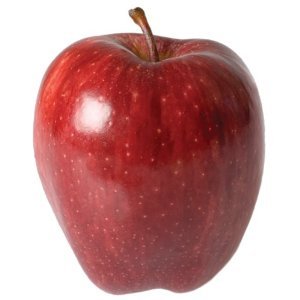
**Type**: Red Delicious
**Price**: $ 1.5 / lb
5. Create the options for each choice question
Now make the options for each question
cbc1_options <- make_cbc_options(df |> filter(qID == 1))
cbc2_options <- make_cbc_options(df |> filter(qID == 2))
cbc3_options <- make_cbc_options(df |> filter(qID == 3))
cbc4_options <- make_cbc_options(df |> filter(qID == 4))
cbc5_options <- make_cbc_options(df |> filter(qID == 5))
cbc6_options <- make_cbc_options(df |> filter(qID == 6))
6. Create each choice question (6 in total)
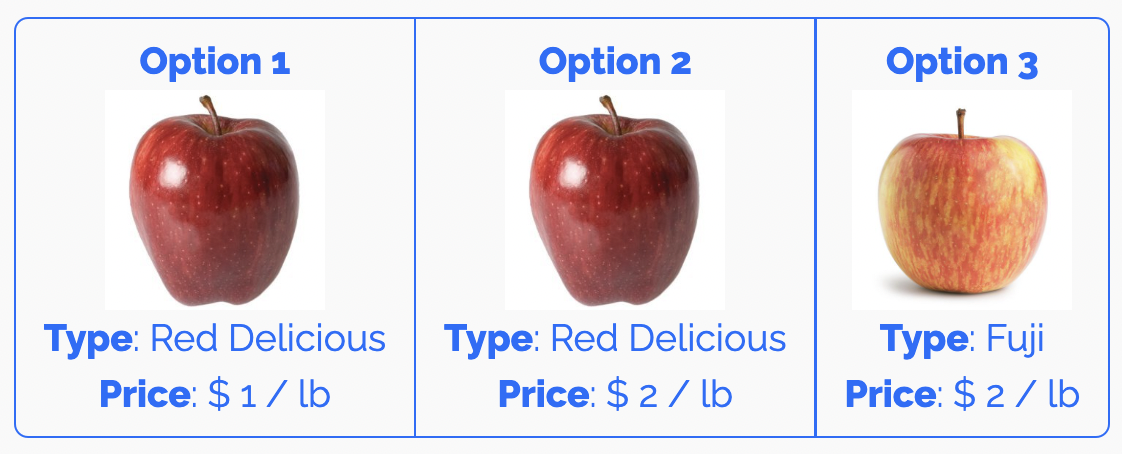
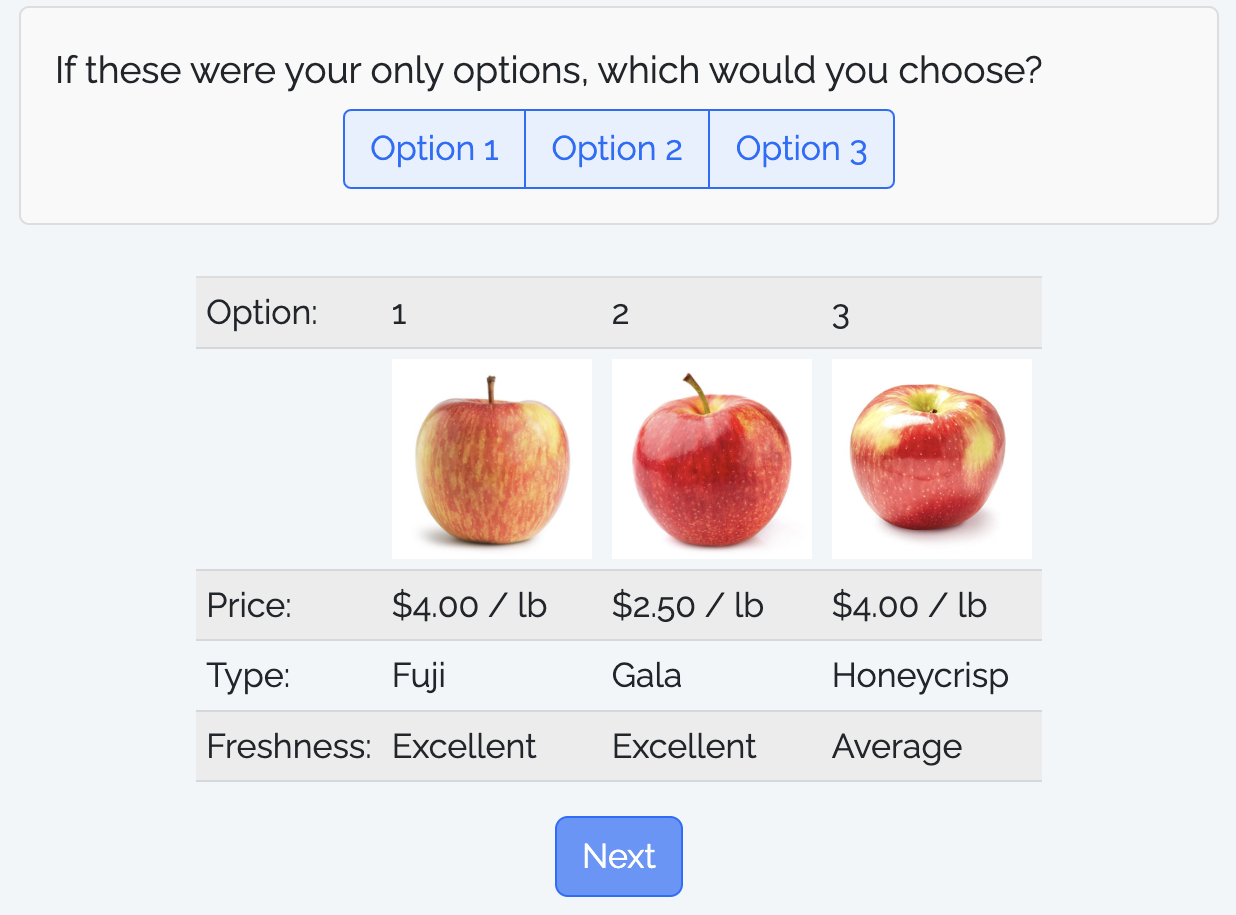
TABLE layout: Show options in a table with kable()
library(dplyr)

alts <- df %>%
  filter(qID == 1) %>%
  mutate(
    # Add $ sign to price and html code for image path
    price = paste(scales::dollar(price), "/ lb"),
    image = paste0('<img src="', image, '" width=100>')
  ) %>%
  # Make nicer attribute labels
  select(
    `Option:` = altID,
    ` ` = image,
    `Price:` = price,
    `Type:` = type,
    `Freshness:` = freshness
  )

# Drop row names
row.names(alts) <- NULL
Option: Show options in a table with kable()
Display the transpose, t(alts)
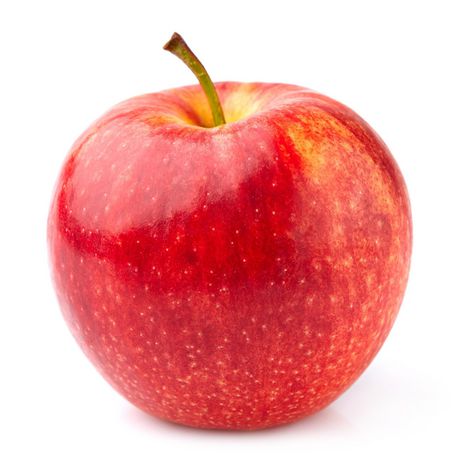
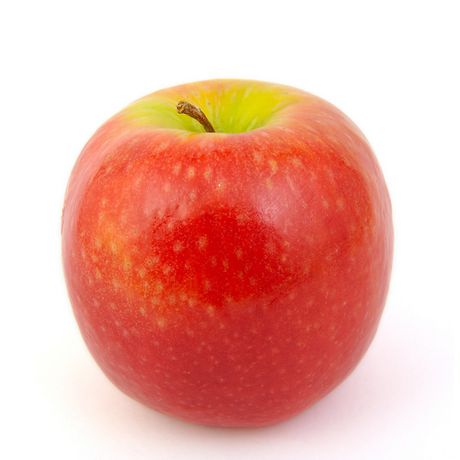
TABLE layout: Show options in a table with kable()
Your choice question can be defined in the survey.qmd
file as it is just choosing one of three options:
Your Turn
With your team, choose a format to work with (buttons or table) for your choice question, then modify the example survey to match your project.